Installing the game
This is a guide for setting up Arma 3.
What you'll need
- Arma 3
- Teamspeak >3.0
- Latest GBPCGH Arma 3 mod preset (also usually pinned on Discord)
Instructions
First launch
Make sure you don't have Teamspeak running and start the game. You are greeted by the Arma 3 launcher.
Navigate to the Mods tab on the right. It should look like this (minus the available mods at the bottom).
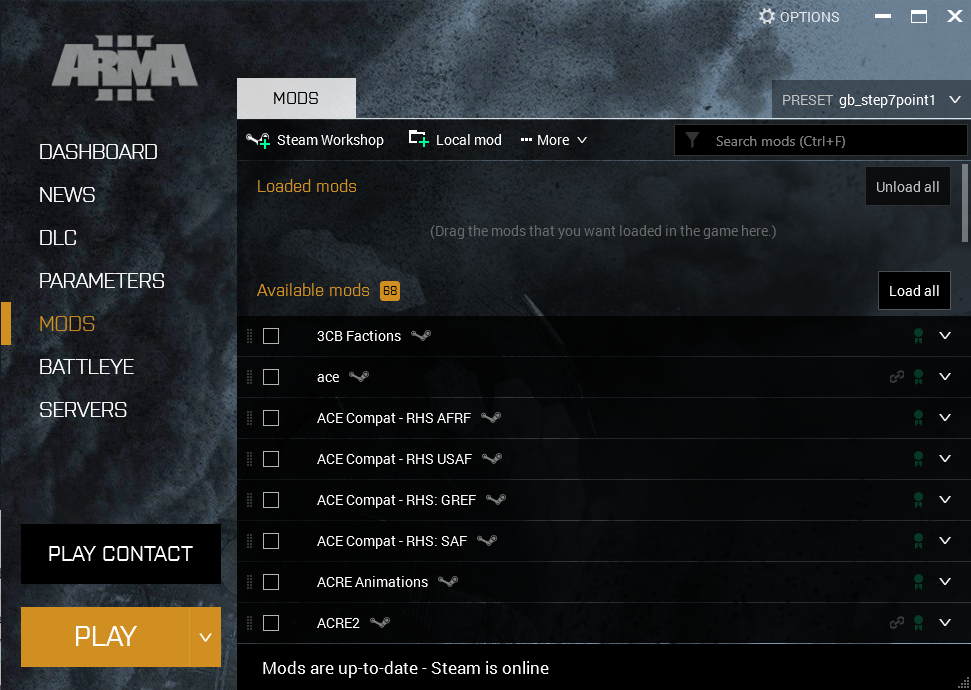
Find your preset .html file and either drag and drop it into the launcher or click the PRESET button at the top right and click Import at the bottom, locate your preset file and import it.
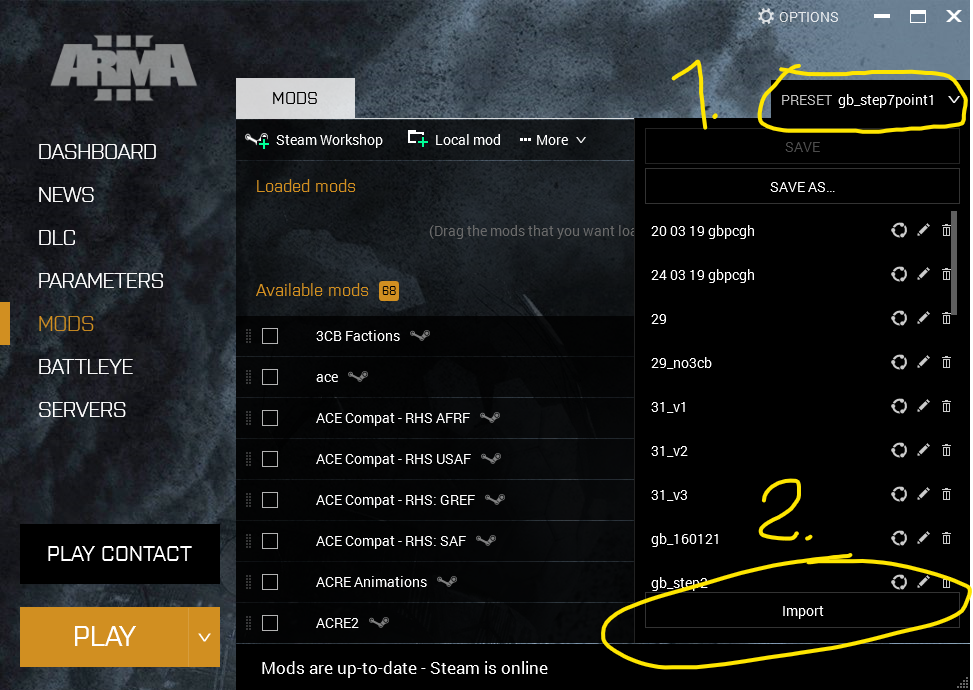
This should cause your modlist to populate with mods and start a Steam Workshop content download. Wait for this download to finish and then verify that none of the mods in the list have a Corrupted or Dependency missing flag next to them. Also verify that the number of mods matches that of the preset (As of preset gb_step7point1, 66).
Once this is done, ensure that Teamspeak 3 is closed and launch the game. You should get a popup about ACRE2 successfully copying it's plugin file to your Teamspeak 3 directory. If this does not occur, ACRE2 will not work.
- DLC Overlay Syndrome - a kind of mental illness caused by using equipment from DLC that you don't own. Causes visual hallucinations (periodic overlay on screen and popups).↩